
What is mobile ERP?
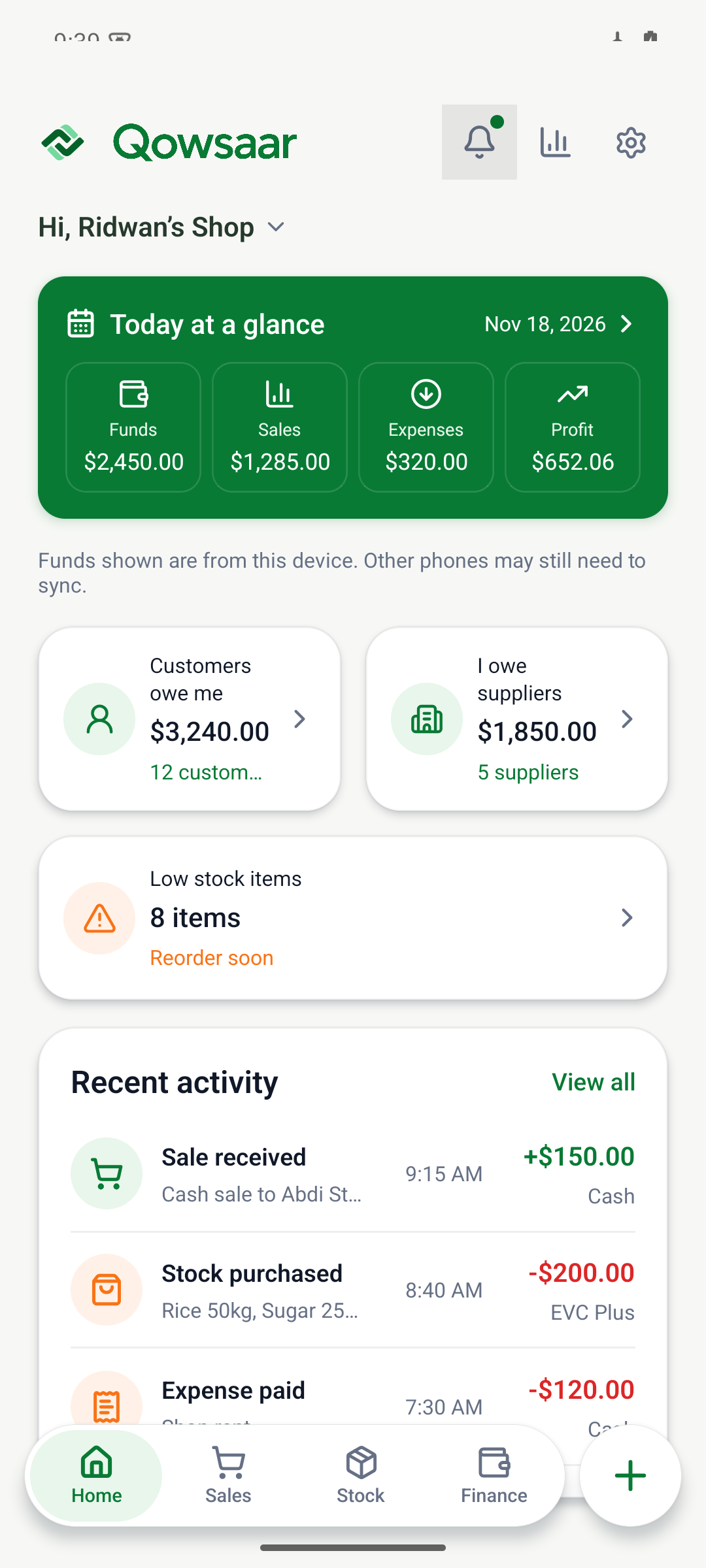
ERP stands for enterprise resource planning. For a small business, the useful idea is simple: keep connected activities in one place. When you sell an item, you need to know what was sold, what was paid and what remains in stock. A mobile ERP app makes those records available from a phone.
Qowsaar focuses on these everyday business tasks. A shop owner can review sales and stock; a trader can follow customer and supplier balances; a small contractor can explore project costs and billing in the demo.
Which business functions can you explore?
| Business task | What to keep track of |
|---|---|
| Sales | Items sold, quantities, sale totals and payments. |
| Inventory | Stock quantities, purchase costs and selling prices. |
| Expenses | Business spending recorded by category. |
| Customer and supplier balances | What customers owe you and what you owe suppliers. |
| Building projects preview | Materials, project costs, invoices and client payments. |
Follow a sale through the business.
In the fictional shop example, a customer buys one bag of rice for $28. Recording that paid sale adds $28 to business funds and takes one bag out of stock. The sale and stock movement stay connected, so the owner can review the same activity from different views.
The guide to cash and credit sales shows how the same receipt affects the till when the customer pays later. For a building job, see how to track a client payment against an invoice.
Try the mobile ERP demoChoose the functions your business needs.
Start with the records you use every day. If your main concern is sales, spending and customer credit, explore mobile bookkeeping. If you sell physical products, see how inventory and sales tracking fit together. For materials and client billing, explore the building project preview.
Qowsaar’s public iPhone and Android releases are being prepared. The browser demo is available now with fictional records and no account required. It is a way to explore the product, not a place to store your business records.
