
Track medicine by batch.
Track stock by batch and expiry date. See what needs attention and check the pack before saving a sale.
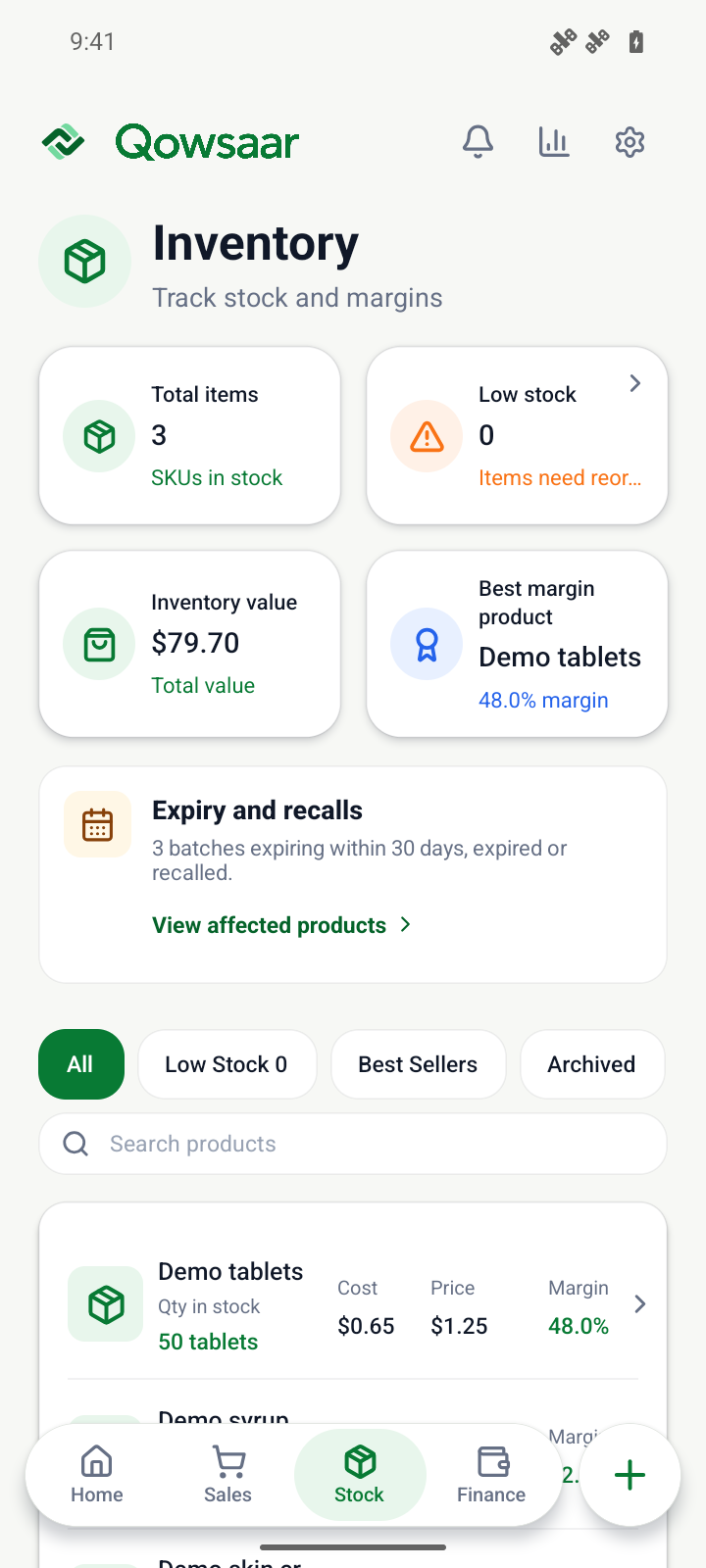
From stock records to checkout
The same medicine can arrive with different expiry dates. Qowsaar records how much is left in each group and which stock is still eligible for sale.
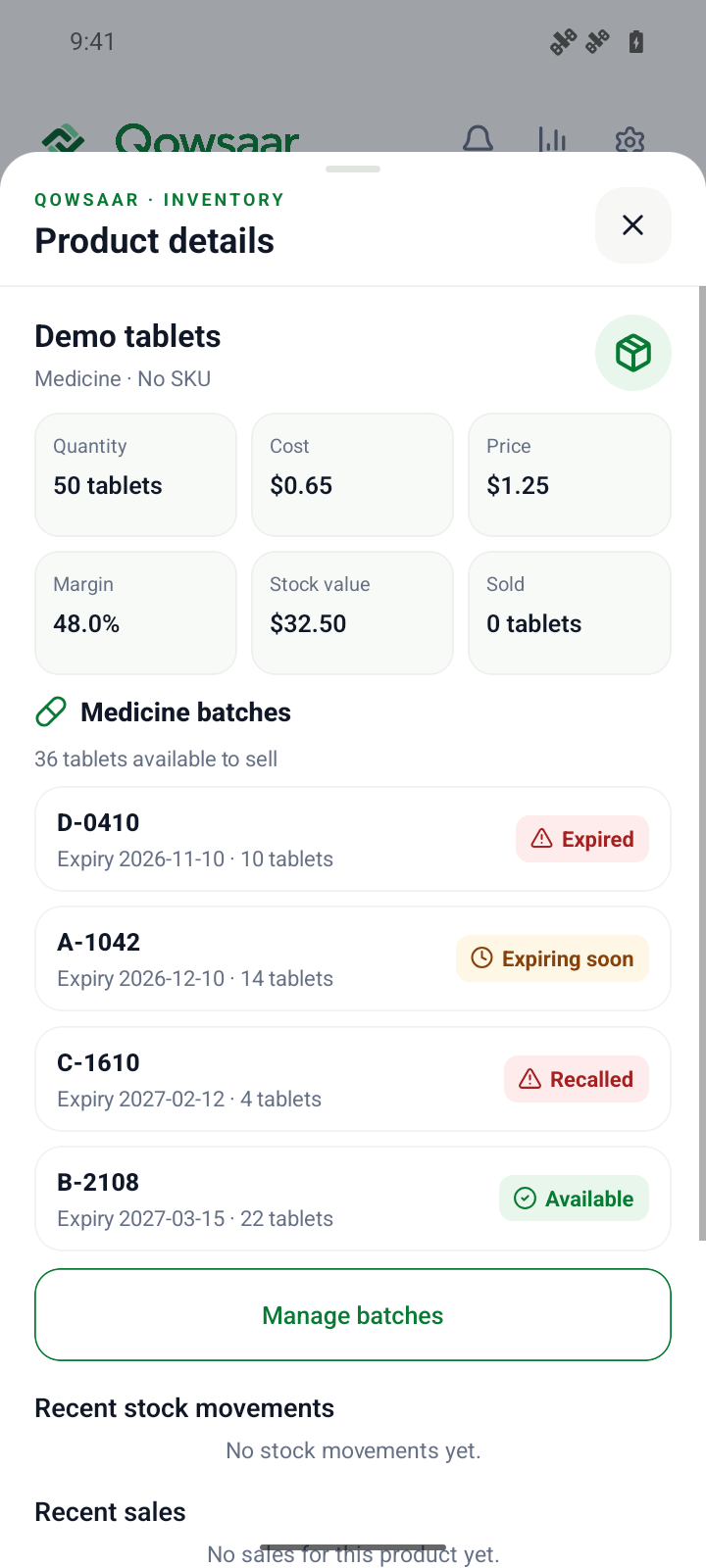
Record each batch separately
See quantities and expiry dates for the same medicine. Enter the batch number if you have it. Qowsaar tracks stock without a batch number by its expiry date.
Review expiry and recalls
Filter to products with stock expiring within 30 days, expired stock or batches you’ve marked as recalled.
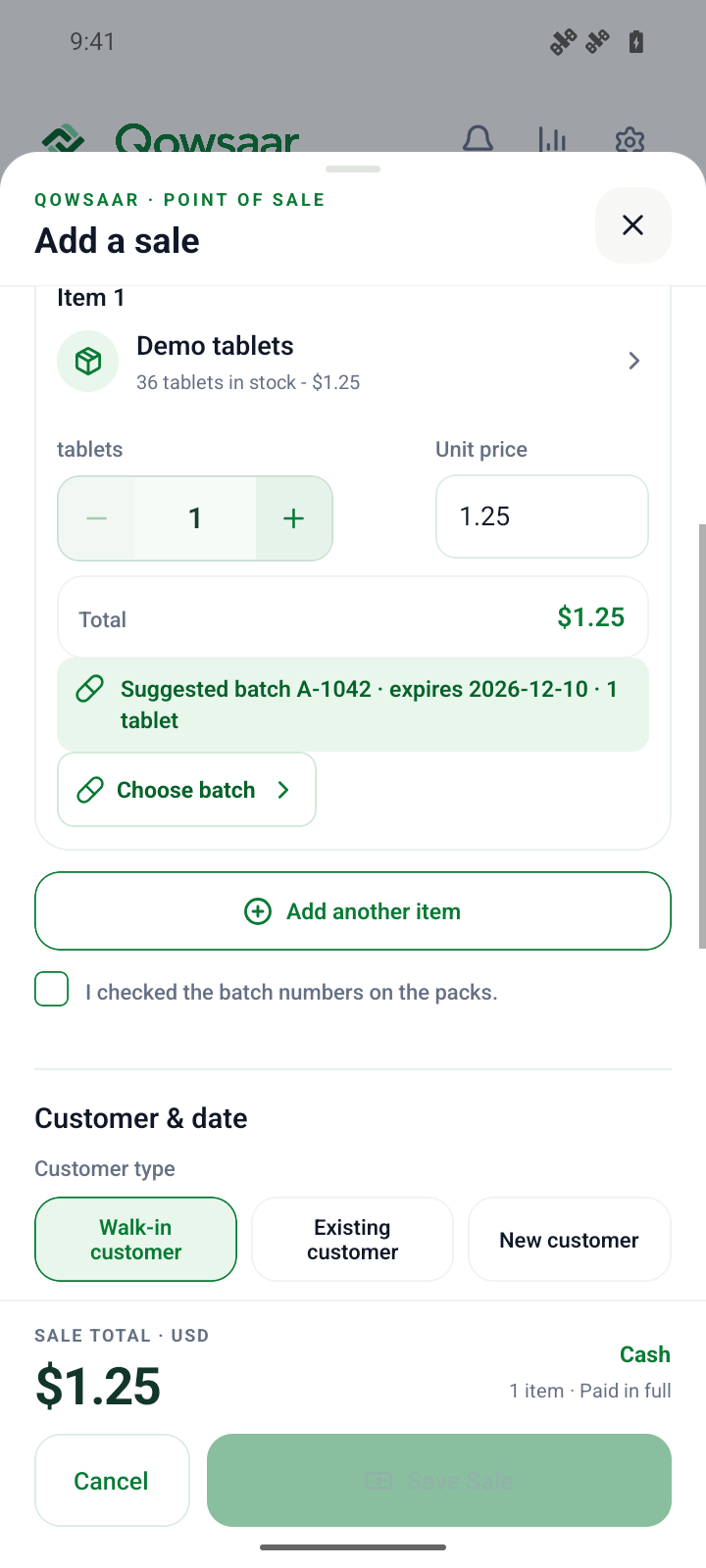
Confirm the pack at checkout
Qowsaar suggests the earliest-expiring eligible stock. Choose a different eligible batch if it matches the pack. Expired and recalled batches are excluded.
Follow a sample pharmacy sale.
See how to record a delivery, review expiry and check the pack at the counter.
